



 5 minutes to read
2026-01-09
Femi Ayodeji
The Withdrawal Process at ExpertOption: A Step-by-Step Guide and FAQ


Your hard-earned profits deserve to reach you quickly and securely. The ExpertOption withdrawal process is designed for convenience, giving traders access to their earnings anytime, anywhere. Whether you prefer a bank transfer from ExpertOption or a digital wallet, withdrawals are straightforward, transparent, and safe.
This article will walk you through the ExpertOption withdrawal process step by step, outline available options, and answer the most common questions about ExpertOption deposit and withdrawal methods.
How Does the Withdrawal Process at ExpertOption Work?
Submitting a withdrawal request on ExpertOption is simple and only takes a few minutes. The platform prioritizes fast and secure fund transfers while maintaining strict compliance with international financial standards.
Here’s how it works:
- Log into your ExpertOption account.
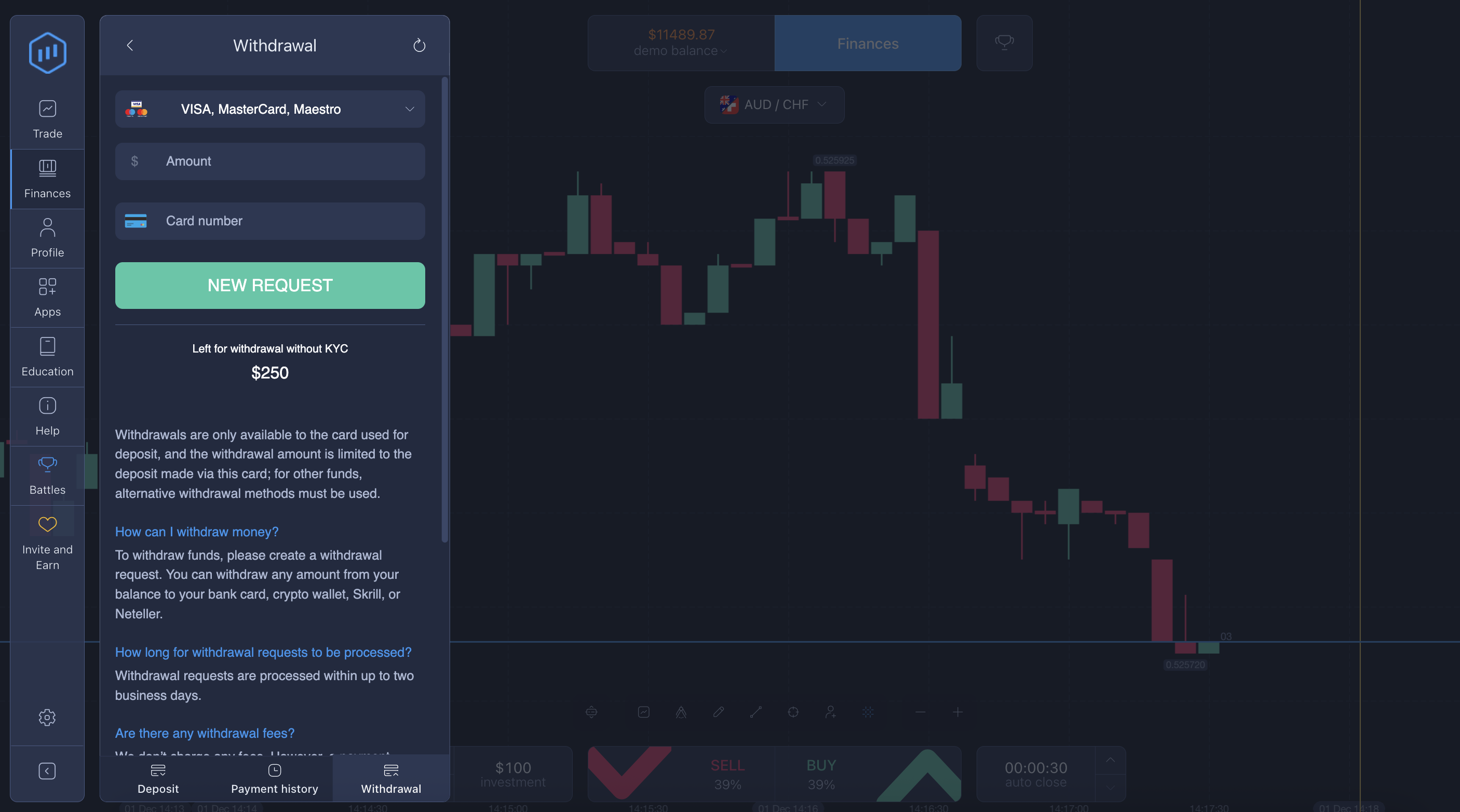
- Go to the Finance section and select Withdraw Funds.
- Choose your preferred withdrawal method: bank card, e-wallet, or bank transfer.
- Enter the desired withdrawal amount.
- Confirm your request and wait for processing.
Once submitted, your request will be reviewed and processed. You can check your withdrawal status directly in your account’s transaction history.
ExpertOption Withdrawal Methods
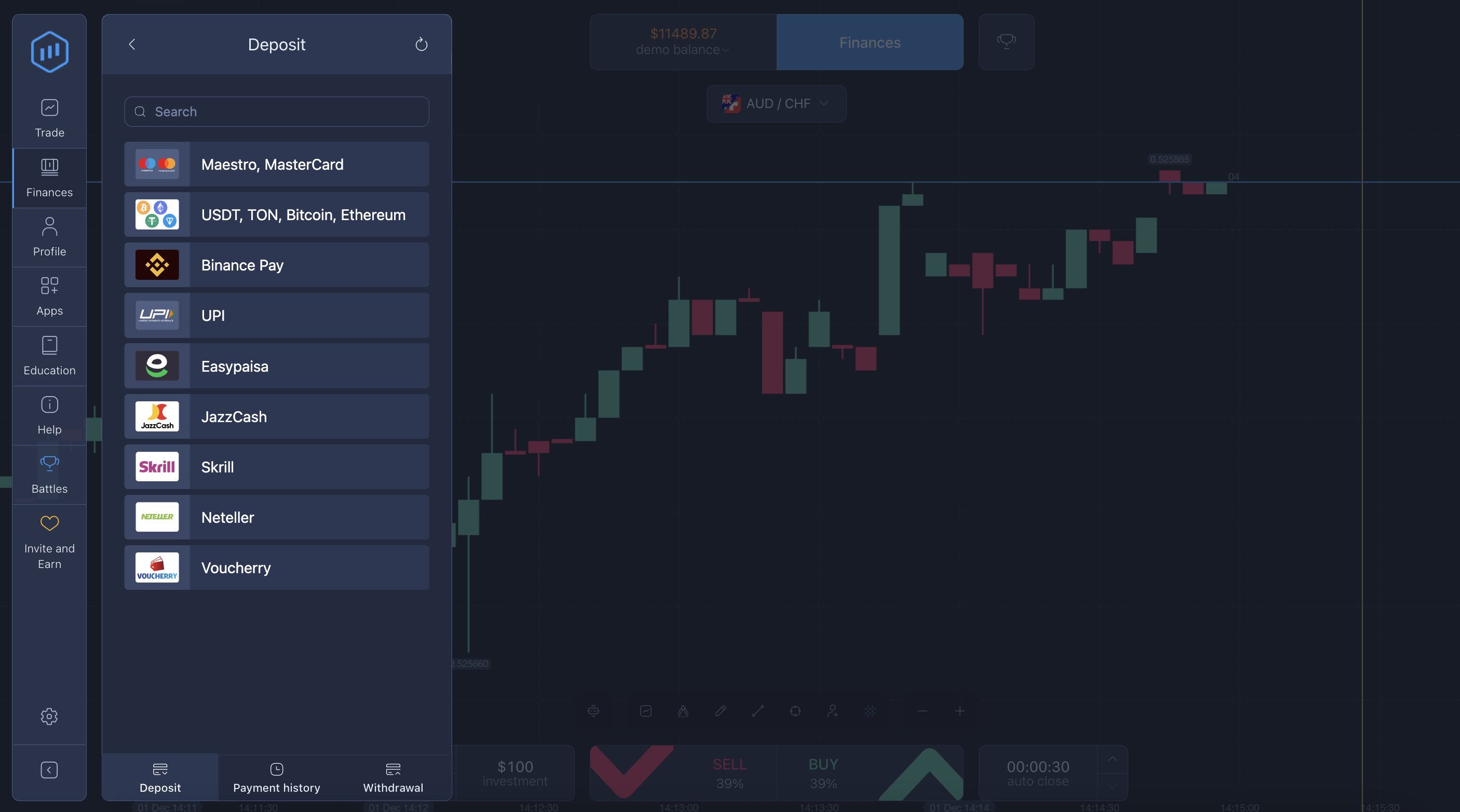
The platform supports a variety of ExpertOption withdrawal methods so you can choose what’s most convenient for you.
- Bank cards (Visa, Mastercard) — quick and reliable for most users.
- E-wallets (Skrill, Neteller, Perfect Money, and more) — ideal for those who prefer instant digital access.
- Bank transfer from ExpertOption — for direct transfers to your bank account.
One of the best features is that you can withdraw up to $250 without account verification on ExpertOption if you used a bank card or a verified e-wallet to deposit. For larger withdrawals, completing verification ensures secure processing and protects your funds from unauthorized access.
Account Verification on ExpertOption
Verification (KYC) is a crucial step in ensuring secure withdrawals on ExpertOption. It helps confirm your identity and prevent fraudulent activity. The process is simple — upload a valid ID document and proof of payment method (such as a card or wallet screenshot).
Once verified, your future withdrawals are processed faster and with minimal delays. It’s a one-time step that ensures smooth financial operations on your account.
ExpertOption Withdrawal Process FAQs
Are There Any Withdrawal Fees on ExpertOption?
ExpertOption does not charge fees for withdrawals. However, depending on your payment provider or bank, minor transaction or conversion fees may apply. The platform itself maintains a transparent policy — what you earn is what you get.
Can I Withdraw Funds to My Bank Card or E-Wallet?
Yes. You can easily withdraw profits to the same payment method you used for deposits. This helps maintain compliance and ensures transaction security. Both bank cards and trusted e-wallets such as Skrill and Neteller are supported.
If you made your deposit through multiple methods, ExpertOption may prioritize withdrawals to the most recently used one for additional security.
How to Check the Withdrawal Status on ExpertOption?
You can track your withdrawal progress in real time.
- Go to your Finance or Transactions tab.
- Look for the Withdrawal History section.
- Each request will display its current status: pending, processed, or completed.
The platform’s dashboard provides full transparency, allowing you to stay informed at every stage.
ExpertOption Withdrawal Review
Based on user feedback, the ExpertOption withdrawal review is consistently positive. Traders appreciate the speed, simplicity, and flexibility of available options. Small withdrawals (under $250) are processed quickly without additional requirements, while verified accounts benefit from even faster transactions for larger sums.
Users often highlight:
- Fast processing times.
- Secure transactions and verification.
- Multiple withdrawal choices to fit personal preferences.
In Conclusion
The ExpertOption withdrawal process combines security with convenience, ensuring that traders can access their funds safely and efficiently. With flexible ExpertOption withdrawal methods, zero platform fees, and transparent processing, it’s designed for smooth financial management.
Whether you prefer a bank transfer from ExpertOption, a card payout, or a digital wallet, your funds are always within reach — safely and reliably.
Latest Posts
Trading Education
Trading News
Trading Strategies
Promotions & Tournaments
Success Stories & Tips
Platform Updates
Global events, stocks, crypto, forex
ExpertOption Reviews: An Honest Overview and Tips from Traders
5 minutes to readExpertOption Withdrawal Policy: How Withdrawals Work and Why Balance Management Matters
5 minutes to readExpertOption Reviews: An Honest Overview and Tips from Traders
5 minutes to readExpertOption Withdrawal Policy: How Withdrawals Work and Why Balance Management Matters
5 minutes to read